


Condor XC-Mini Plus Automatic Key Cutting Machine
| Brand:: | Xhorse |
| Product Code: | XCMN00EN |
| Availability: | Out Of Stock |
-
3,360.00€
- B2B Net Price (0% VAT): 2,800.00€

| Brand:: | Xhorse |
| Product Code: | XCMN00EN |
| Availability: | Out Of Stock |
This model has been discontinued and replaced by the upgraded Xhorse Condor XC-MINI Plus II.
1. Space between cover and key is bigger than XC-MINI.
For XC-MINI, many keys with casings like VW flip key will not allow you to close the cover, while CONDOR XC-MINI Plus won't have this problem.
2. Screen is designed with adjustable angle. Much more convenient to operate and see what's on the screen.
3. Mounting support - to make it easier when mounting the machine on vehicles when you carry out, it won't move around.
4. With better PCB and motors, high quality to work more stable and accurate
5. Much easier to clean up, dust after cutting the key won't get in the machine, which make XC-MINI PLUS with extended service life.
Please note: Instacode is no longer included with the Condor Mini Plus
Online update
There are 3 ways to get "Upgrade kit" file for firmware update
Method 1: Contact your distributor ask for the software
Method 2: Contact Xhorse technical support skype: Live: condor_keymachine@hotmail.com
Method 3: Scan the QR code to download and install Xhorse APP
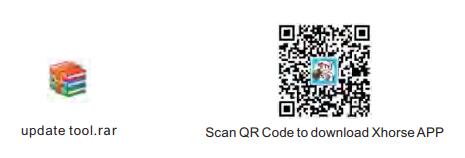
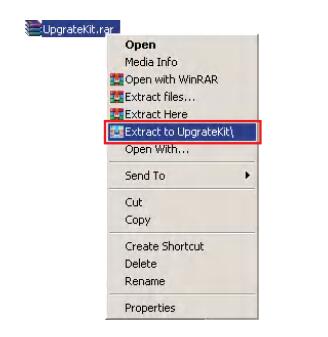
Step 1: Unzip the "Upgrade kit" file after the file has been downloaded
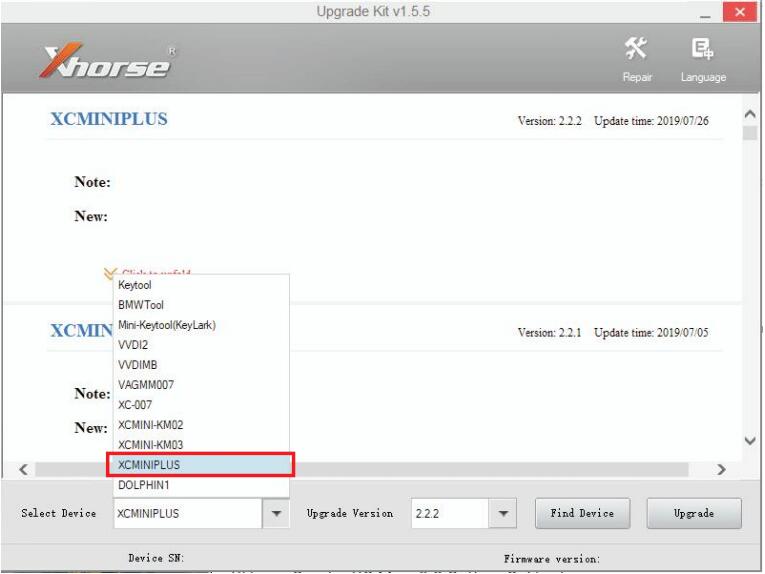
Step 2: Run "Upgrade Kit.exe" and connect the machine with the pc
Do not turn off the machine during update process and also the upgrade kit software will update automatically

Step 3: Open the file of 'Driver' from those decompressed files
Choose a relatively new driver to install
Please kindly notice:
If the computer still cannot recognize the machine after the installation of the driver, it is advisable to change to another driver.
If all the drivers fail, please contact your distributor or technical support from the manufacturer.

Step 4: After the machine is successfully communicated with the computer
Read the serial number, then select the XCMINIPLUS and click to update
Note: Please keep the machine connected to the computer by USB during the update.
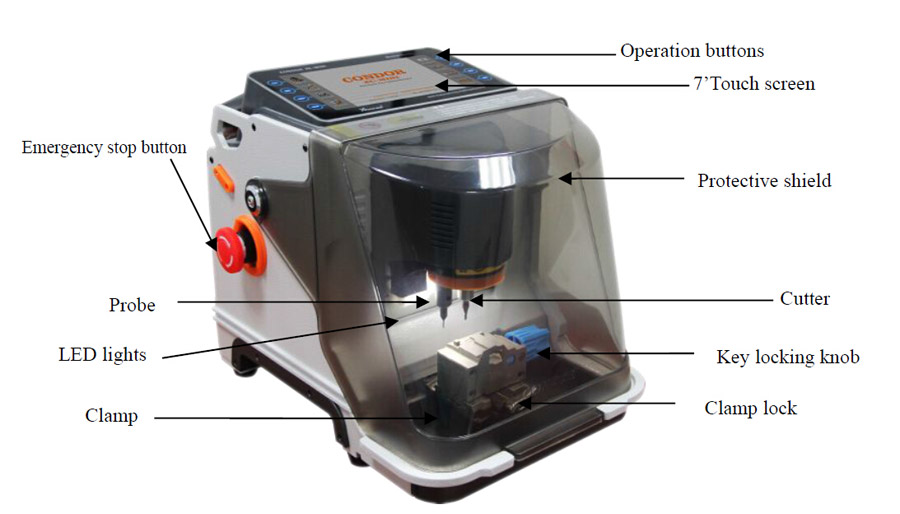
Outlook:
with flexible screen display which is convenient than Condor Mini.
The new screen is designed with an adjustable angle, easier to adjust the proper viewing angle. Many time the machine is on a higher / desk and it's then difficult to operate and see what's on the screen.


214.80€ B2B Net Price (0% VAT): 179.00€


15.60€ B2B Net Price (0% VAT): 13.00€


14.40€ B2B Net Price (0% VAT): 12.00€


14.40€ B2B Net Price (0% VAT): 12.00€


720.00€ B2B Net Price (0% VAT): 600.00€


138.00€ B2B Net Price (0% VAT): 115.00€


876.00€ B2B Net Price (0% VAT): 730.00€


2,520.00€ B2B Net Price (0% VAT): 2,100.00€


